Best AI Video Generator 2027: 10 Best Tools Compared
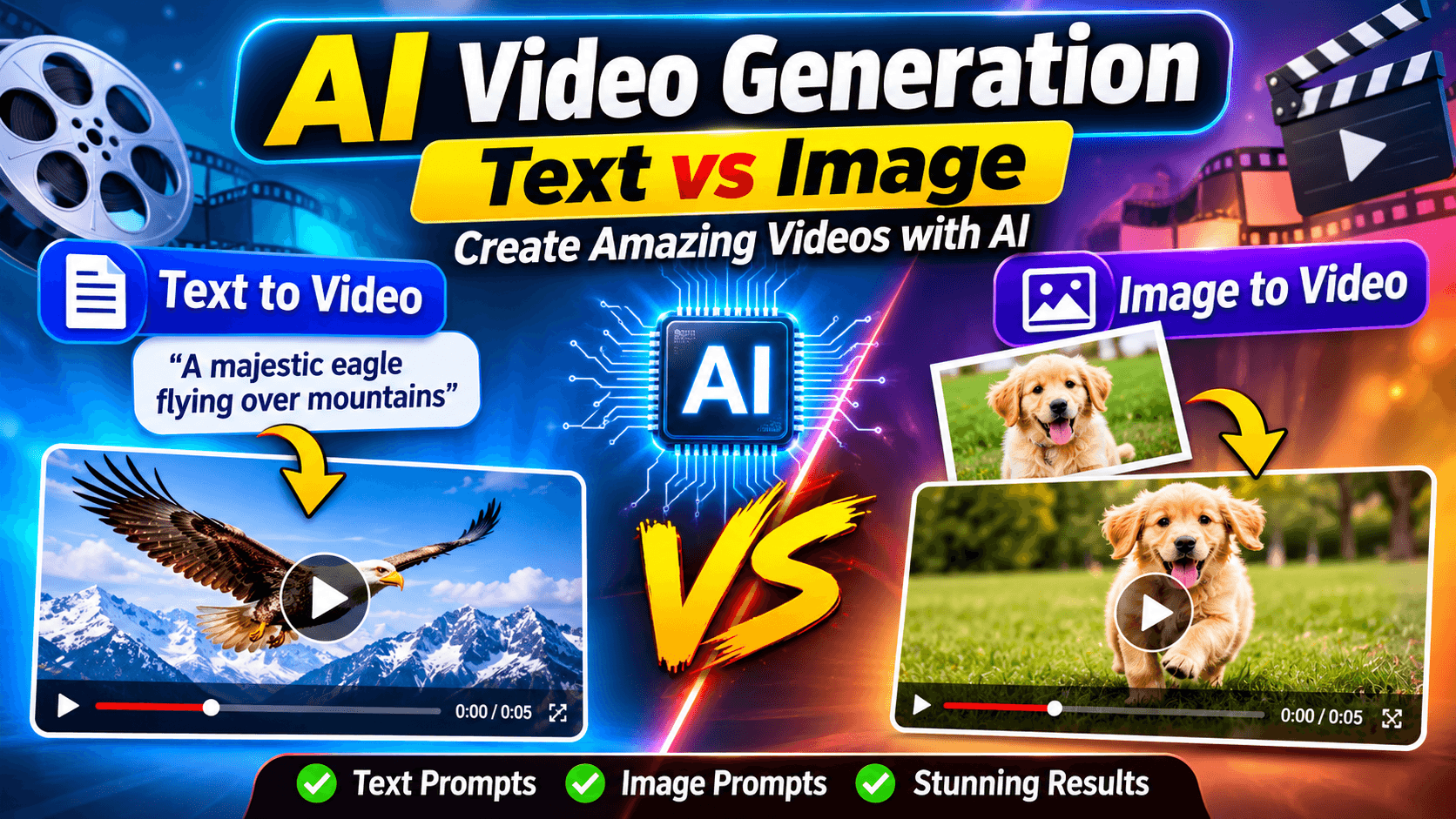
Best AI Video Generator 2027: 10 Best Tools Compared
Artificial intelligence is transforming the way people create videos. What once required expensive cameras, professional editing software, production teams, actors, and hours of post-production can increasingly be accomplished with a simple text prompt or an image.
Whether you are a YouTube creator, digital marketer, business owner, filmmaker, educator, or social media manager, AI video generators can help you turn ideas into engaging visual content faster than traditional production workflows.
But with so many AI video tools available, choosing the right platform is becoming increasingly difficult.
Some tools specialize in realistic cinematic videos, while others focus on animated content, talking avatars, product demonstrations, social media clips, and professional marketing videos.
In this comprehensive guide, we explore the best AI video generator 2027 options, compare their features, explain their strengths and limitations, and help you choose the right solution for your creative projects.
Important editorial note: This is a forward-looking 2027 buying guide prepared using the AI video landscape available in November 2026. It is not a claim that every tool has been independently benchmarked throughout 2027. Features, model versions, availability, and subscription prices can change.
Quick Answer: What Is the Best AI Video Generator in 2027?
There is no single AI video generator that is best for everyone. Your ideal choice depends on the type of videos you want to create, the level of creative control you need, your budget, and whether you require realistic audio or professional editing features.
Here is a practical shortlist of platforms worth evaluating:
| AI Video GeneratorBest ForMain Strength | ||
| Google Veo | Realistic cinematic videos | Advanced video generation and native audio capabilities |
| Kling AI | Realistic motion and creative scenes | Motion quality and cinematic control |
| Runway | Professional creators | Creative control and video production workflows |
| Adobe Firefly | Designers and businesses | Integration with Adobe creative workflows |
| Pika | Social media creators | Creative effects and short-form videos |
| Luma Dream Machine | Visual storytelling | Text-to-video and image-to-video workflows |
| MiniMax Hailuo | Creative video generation | Dynamic scenes and visual storytelling |
| Seedance | Multi-shot video creation | Reference-driven and sequence-based workflows |
| HeyGen | Business communication | AI presenters and talking avatars |
| Synthesia | Corporate and educational videos | Professional AI presenters and training content |
These are different types of products, not interchangeable models. Some specialize in generating footage, while others help produce complete presenter-led videos.
1. Google Veo – Best for Realistic AI Video Generation
Google Veo is one of the major platforms to consider when looking for realistic AI-generated video.
Developed by Google DeepMind, Veo is designed to generate video from text descriptions and visual references. Its capabilities make it particularly interesting for filmmakers, creative professionals, advertisers, and content creators.
Google's Veo 3.1 generation introduced native audio capabilities, allowing creators to generate sound effects, ambient audio, and dialogue alongside video.
Key Features
- Text-to-video generation.
- Image-to-video generation.
- Realistic visual scenes.
- Native audio generation on supported workflows.
- Camera movement and cinematic composition.
- Visual storytelling and creative experimentation.
- Integration with Google's AI video creation ecosystem.
Why Choose Google Veo?
One of the biggest advantages of Veo is its ability to combine visual generation with audio.
Instead of generating silent footage and searching separately for sound effects, creators can explore workflows that produce video and sound together.
For example, a creator could enter a prompt describing a cinematic scene:
"Aerial cinematic shot of a futuristic city at sunset, flying vehicles moving between skyscrapers, warm golden lighting, realistic atmospheric effects, and distant city ambience."
The system can use that description to generate a visual interpretation of the scene.
Limitations
AI-generated scenes may still contain inconsistencies, unnatural movements, inaccurate text, or imperfect dialogue synchronization.
Access, output limits, available models, and pricing also depend on the Google product and subscription being used.
Best for: Cinematic videos, creative advertising, visual storytelling, and realistic AI-generated scenes.
2. Kling AI – Best for Cinematic Motion and Realistic Scenes
Kling AI has become an important name in AI video generation, particularly for creators who want realistic movement and visually engaging scenes.
It offers text-to-video and image-to-video workflows, making it possible to create footage from written descriptions or animate existing images.
Kling is especially worth exploring when your project requires dynamic movement, character actions, camera transitions, or cinematic visual effects.
Key Features
- Text-to-video generation.
- Image-to-video animation.
- Motion-focused generation.
- Character and scene references on supported models.
- Camera movement controls.
- Video extension and multi-shot workflows on supported versions.
- Audio capabilities on supported models.
Why Choose Kling AI?
One useful application is animating product images.
Imagine you operate an online clothing store and have a professional photograph of a jacket.
Rather than organizing a complete video shoot, you could use an image-to-video workflow to generate a short promotional scene showing the jacket in a visually appealing environment.
Similarly, creators can animate landscapes, characters, product photography, and artistic illustrations.
Limitations
The quality of generated movement can vary depending on the prompt, source image, selected model, and generation settings.
Complex scenes involving several interacting characters may require multiple attempts.
Best for: Cinematic clips, image animation, product visuals, and realistic movement.
3. Runway – Best AI Video Generator for Professional Creators
Runway is an established creative AI platform designed for people who need more than basic text-to-video generation.
It combines AI video generation with creative controls and editing-oriented workflows.
This makes it worth considering for filmmakers, designers, agencies, advertising teams, and professional content creators.
Key Features
- Text-to-video generation.
- Image-to-video generation.
- Video editing workflows.
- Camera and motion controls.
- Visual reference workflows.
- Character consistency tools on supported models.
- Creative effects and production features.
Why Choose Runway?
The main advantage of Runway is its focus on creative control.
Generating a visually attractive clip is only one part of video production. Creators also need to control composition, camera movement, timing, scene consistency, and the relationship between individual shots.
Runway is particularly interesting for creators who want to experiment with these production elements.
For example, a marketing agency could generate several visual concepts for a new advertising campaign, refine the strongest ideas, and combine the selected clips with traditional editing software.
Limitations
Professional creative workflows can require experimentation and learning.
Credits, subscription restrictions, model availability, and export options should be checked before choosing a paid plan.
Best for: Professional video creators, agencies, filmmakers, and creative production teams.
4. Adobe Firefly – Best for Commercial Creative Workflows
Adobe Firefly is a generative AI platform designed to support creative work across images, video, audio, and design.
Its video generation features make it an interesting option for businesses and creative professionals who already use Adobe applications.
Firefly supports text-based video generation and image-based video creation. Depending on availability and the selected workflow, users can also access partner models.
Key Features
- Text-to-video generation.
- Image-to-video generation.
- Camera movement settings.
- Visual composition controls.
- Integration with Adobe creative workflows.
- Access to selected partner models.
- Video and image generation tools.
Why Choose Adobe Firefly?
Adobe Firefly is particularly attractive to designers and businesses that already use tools such as Premiere Pro, Photoshop, and other Creative Cloud applications.
It can help generate visual assets and footage that become part of a broader creative production process.
Another important consideration is Adobe's commercially oriented Firefly positioning. However, commercial safety should never be assumed for every model available through a platform. Always check the licensing terms for the specific model and output.
Limitations
Features, model access, generation limits, and commercial terms can differ by subscription, region, and selected model.
Best for: Designers, marketing departments, businesses, and Adobe-based creative workflows.
5. Pika – Best for Social Media Videos and Creative Effects
Pika is worth considering if your primary goal is creating short, entertaining, and visually engaging content.
Rather than focusing exclusively on traditional filmmaking, the platform emphasizes creative video generation and effects.
It can be useful for creators who regularly publish content on Instagram, TikTok, YouTube Shorts, and other social platforms.
Key Features
- Text-to-video generation.
- Image-to-video generation.
- Creative video effects.
- Stylized visual transformations.
- Short-form content workflows.
- Experimental visual effects.
Why Choose Pika?
Social media content needs to attract attention quickly.
Creators often experiment with unusual visual effects, creative transitions, animated images, and entertaining concepts.
Pika can help transform these ideas into short video clips without requiring extensive editing knowledge.
For example, a creator could start with an ordinary product photograph and experiment with an imaginative visual transformation to make the advertisement more engaging.
Limitations
Creative effects are not always suitable for professional cinematic production.
Creators should review output consistency, resolution, watermarks, and export restrictions before publishing.
Best for: TikTok creators, Instagram Reels, YouTube Shorts, and experimental social content.
6. Luma Dream Machine – Best for Image-to-Video Creation
Luma Dream Machine is an AI video generation platform that allows creators to work with text prompts and images.
It is particularly interesting for visual storytelling, concept development, and animating existing artwork.
Key Features
- Text-to-video workflows.
- Image-to-video generation.
- Visual scene generation.
- Motion and camera-oriented creative controls on supported models.
- Model selection and generation settings.
- Video creation and download workflows.
Why Choose Luma?
Image-to-video generation is useful when you already have a visual concept but want to bring it to life.
For example, an artist might have an illustration of a mountain landscape.
Using an image-to-video tool, the artist can experiment with moving clouds, flowing water, changing light, and camera motion.
This creates opportunities for animated artwork, promotional material, storytelling, and concept videos.
Limitations
The final result depends heavily on the input image, prompt quality, model selection, and available generation settings.
Some complex movements may require multiple generations.
Best for: Artists, designers, image animation, and visual storytelling.
7. MiniMax Hailuo – Best for Dynamic AI-Generated Scenes
MiniMax Hailuo is another platform worth evaluating when comparing AI video generation services.
It focuses on generating videos from creative prompts and visual references.
Its appeal is particularly relevant to creators experimenting with expressive scenes, character movement, and cinematic visual content.
Key Features
- Text-to-video generation.
- Image-to-video generation.
- Dynamic visual scenes.
- Character movement.
- Creative video generation workflows.
- Model-dependent audio and visual capabilities.
Why Choose Hailuo?
Hailuo can be useful when creators want to experiment with scenes that involve movement and visual storytelling.
For instance, a creator could describe a cinematic scene featuring a person walking through a rainy city street, with reflections on the road and moving vehicles in the background.
The generated output can serve as a creative starting point for a larger video project.
Limitations
Results can vary depending on model versions, prompt complexity, and generation settings.
Always check current export quality, usage limits, and licensing conditions.
Best for: Creative scenes, visual experiments, and AI-generated storytelling.
8. Seedance – Best for Multi-Shot AI Video Workflows
Seedance is a video generation option worth watching for creators interested in producing more structured visual sequences.
Single-shot generation is useful for creating individual clips, but complete video projects often need several connected scenes.
Multi-shot workflows aim to make this process more manageable.
Key Features
- Text-to-video generation.
- Image and reference-driven workflows on supported versions.
- Multi-shot video creation.
- Visual storytelling.
- Scene-based creative production.
- Model-dependent audio and motion capabilities.
Why Choose Seedance?
Consider a business creating a short advertisement for a new smartphone.
The video might require:
- An opening product reveal.
- A close-up of the camera.
- A person using the device.
- A final branded promotional scene.
A structured generation workflow can help creators develop these scenes as parts of a larger visual concept.
Limitations
Scene consistency, character continuity, exact product details, and text accuracy should be checked carefully.
The availability of specific capabilities depends on the model version and platform providing access.
Best for: Story-driven clips, advertising concepts, and multi-scene video production.
9. HeyGen – Best for AI Avatar Videos
Not every video needs cinematic footage.
Businesses, educators, and marketers frequently need a presenter who can explain information clearly.
HeyGen specializes in AI-generated presenter and avatar videos.
It allows users to create videos featuring digital presenters using scripts and supported voice and avatar options.
Key Features
- AI avatar generation.
- Script-to-video workflows.
- AI voice generation.
- Presenter-led videos.
- Translation and localization features.
- Business communication workflows.
- Custom avatar options on supported plans.
Why Choose HeyGen?
Imagine a company that needs to create training videos for employees in several countries.
Traditionally, this could require separate recording sessions, presenters, voiceovers, and editing work.
An AI avatar workflow can help produce localized versions of the same training material more efficiently.
Similarly, content creators can produce educational explainers, product introductions, and business presentations.
Limitations
AI avatars may not reproduce every human expression or speaking pattern perfectly.
Users should obtain proper consent before creating or using a real person's likeness or voice.
Best for: Business presentations, educational content, product explainers, and multilingual communication.
10. Synthesia – Best for Corporate and Training Videos
Synthesia is another major option for businesses that need presenter-led video content.
Its primary focus is helping organizations produce professional videos without requiring a traditional filming setup.
Key Features
- AI presenter videos.
- Script-based video creation.
- Digital avatars.
- AI voiceovers.
- Video templates.
- Multilingual content workflows.
- Corporate training and educational production.
Why Choose Synthesia?
Organizations frequently need to create onboarding videos, internal training material, tutorials, and product explanations.
Synthesia can simplify these workflows by allowing teams to create presenter-led content using scripts and digital avatars.
For example, a software company could prepare an onboarding script and use an AI presenter to explain its product features.
The same content can then be adapted for different audiences and languages.
Limitations
Presenter-led videos have a different purpose from cinematic AI-generated footage.
If your project requires complex camera movement, realistic environments, or action sequences, a dedicated video generation model may be more suitable.
Best for: Corporate training, business communication, online education, and professional explainers.
Best AI Video Generators Compared
Choosing between AI video platforms becomes easier when you compare them according to the type of work you want to complete.
| ToolText to VideoImage to VideoMain Audience | |||
| Google Veo | Yes | Yes | Filmmakers and creators |
| Kling AI | Yes | Yes | Creative professionals |
| Runway | Yes | Yes | Professional creators |
| Adobe Firefly | Yes | Yes | Designers and businesses |
| Pika | Yes | Yes | Social media creators |
| Luma | Yes | Yes | Artists and creators |
| Hailuo | Yes | Yes | Visual storytellers |
| Seedance | Yes | Supported workflows | Video producers |
| HeyGen | Script-based | Avatar/reference workflows | Businesses |
| Synthesia | Script-based | Avatar/template workflows | Educators and companies |
Capabilities vary by model, subscription, region, and product version. This table is a category-level comparison, not a claim that every feature is available on every plan.
How to Choose the Best AI Video Generator
The best AI video generator is not necessarily the platform with the most impressive demonstration.
A tool that produces excellent cinematic clips may be unsuitable for a business that needs professional training videos.
Before subscribing, consider the following factors.
1. Video Quality and Realism
Visual quality should be one of your first considerations.
Look for:
- Realistic human movement.
- Natural facial expressions.
- Consistent objects and characters.
- Accurate lighting and shadows.
- Smooth camera movement.
- Fewer visual distortions.
Generate sample videos using your own prompts instead of relying entirely on promotional demonstrations.
2. Text-to-Video Capabilities
Text-to-video technology allows you to generate videos from written descriptions.
This is useful when you have an idea but do not have existing footage or images.
For example:
"Create a cinematic aerial shot of a modern city at night, with illuminated skyscrapers, moving traffic, reflections, and a slow camera movement."
A good generator should interpret the subject, environment, visual style, and requested movement reasonably well.
3. Image-to-Video Capabilities
Image-to-video generation is important when you already have photographs, illustrations, or product images.
It can be particularly useful for:
- Online stores.
- Product advertisements.
- Digital artists.
- Social media creators.
- Animated photography.
- Marketing campaigns.
If you plan to animate existing images, prioritize a platform that preserves important details from the original image.
4. Audio and Voice Generation
Audio can make an AI-generated video significantly more useful.
Depending on the platform, features may include:
- Background music.
- Environmental sounds.
- Sound effects.
- AI voiceovers.
- Spoken dialogue.
- Lip synchronization.
Check whether audio is generated natively or must be added separately.
5. Video Duration and Resolution
Some platforms generate relatively short clips that need to be combined during editing.
Others provide extension or multi-shot features.
Before purchasing a subscription, check:
- Maximum video duration.
- Supported aspect ratios.
- Export resolution.
- Frame rate.
- Watermark restrictions.
- Video extension capabilities.
- Download formats.
A platform that generates beautiful five-second clips may not be the best choice for a ten-minute educational video.
6. Pricing and Generation Credits
AI video generation can consume significant computing resources.
Many providers use monthly subscriptions, credit systems, or usage-based pricing.
Do not compare subscription prices alone.
Instead, investigate:
- How many generations are included?
- How many credits does one video consume?
- Are failed generations charged?
- Do unused credits expire?
- Is commercial use permitted?
- Are higher resolutions more expensive?
- Are watermarks included on free exports?
A low-cost subscription is not necessarily economical if it provides very few usable generations.
7. Commercial Usage and Copyright
This is especially important for businesses and professional creators.
Before using an AI-generated video commercially, review the provider's current terms.
Pay attention to:
- Commercial-use permissions.
- Model-specific licensing restrictions.
- Ownership and usage rights.
- Copyright and training-data policies.
- Restrictions involving recognizable people.
- Trademark and branded content.
- Required AI-generated content disclosures.
Never assume that every output is automatically copyright-free or cleared for commercial use.
How to Create an AI Video: Step-by-Step Guide
You do not need professional filmmaking experience to start experimenting with AI video generation.
Here is a straightforward workflow.
Step 1: Choose Your AI Video Generator
Select a platform based on your intended project.
For example:
- Cinematic footage: Google Veo or Kling.
- Professional creative control: Runway.
- Adobe-based workflows: Firefly.
- Social media effects: Pika.
- Talking presenters: HeyGen or Synthesia.
Step 2: Write a Detailed Prompt
A prompt describes what you want the AI to generate.
A useful prompt usually includes:
- Main subject.
- Location or environment.
- Action or movement.
- Camera angle.
- Lighting.
- Visual style.
- Mood.
- Desired duration, where supported.
Step 3: Generate Your First Video
Enter your prompt or upload an image.
Select the available model, aspect ratio, resolution, and other settings.
Review the estimated credit cost before generating.
Step 4: Review the Result
Check the video carefully.
Look for unnatural movements, inconsistent objects, visual artifacts, incorrect details, and audio problems.
Step 5: Improve Your Prompt
If the result does not match your expectations, make the prompt more specific.
Instead of writing:
"Make a video of a car."
Try:
"A cinematic tracking shot of a modern electric sports car driving along a coastal highway at sunset, smooth camera movement, realistic reflections, dramatic lighting, and a premium automotive commercial style."
Step 6: Edit and Export
Use a video editor to combine clips, add titles, adjust audio, include subtitles, and prepare the final aspect ratio.
AI generation is often just one part of a complete video production workflow.
10 Practical AI Video Prompts You Can Try
The following prompts can help beginners experiment with different types of AI-generated videos.
1. Cinematic Nature Video
"Create a cinematic aerial video of a beautiful mountain range at sunrise, soft clouds moving between the peaks, golden sunlight, realistic atmospheric lighting, and smooth drone camera movement."
2. Product Advertisement
"Create a premium commercial video featuring a luxury perfume bottle on a reflective surface, elegant studio lighting, slow camera rotation, subtle particles, and sophisticated cinematic visuals."
3. YouTube Intro
"Create a dynamic cinematic introduction for a technology YouTube channel, futuristic digital environment, glowing interface elements, smooth camera transitions, and professional lighting."
4. Real Estate Promotion
"Create a realistic cinematic walkthrough of a modern luxury house, beautiful interior lighting, spacious living room, contemporary furniture, and smooth camera movement."
5. Travel Video
"Create a cinematic travel video of a tropical beach with turquoise water, palm trees moving gently in the wind, golden sunlight, and an aerial camera perspective."
6. Educational Animation
"Create a clean educational animation explaining how the solar system works, showing planets orbiting the sun, clear visual separation, smooth movement, and a professional educational style."
7. Restaurant Advertisement
"Create a mouthwatering commercial video of a freshly prepared gourmet burger, close-up food photography, dramatic warm lighting, slow-motion ingredients, and professional restaurant advertising style."
8. Fashion Promotion
"Create a stylish fashion campaign featuring a model walking through a modern architectural environment, elegant clothing movement, cinematic lighting, and professional editorial photography."
9. Social Media Reel
"Create a visually engaging vertical video showing a futuristic city transforming from daytime into nighttime, vibrant lighting, smooth transitions, and an attention-grabbing opening shot."
10. Technology Advertisement
"Create a premium technology advertisement featuring a futuristic smartphone rotating slowly against a dark background, detailed reflections, cinematic lighting, and elegant product presentation."
Prompt tip: AI models interpret instructions differently. Generate multiple variations, refine your descriptions, and use reference images when consistent visual details are important.
Free vs Paid AI Video Generators: Which Should You Choose?
Many AI video platforms provide free trials, limited free credits, or entry-level plans.
These options can help beginners understand how video generation works before committing to a subscription.
Free AI Video Generators
Free access is useful for:
- Testing different prompts.
- Learning text-to-video generation.
- Experimenting with image animation.
- Creating personal projects.
- Comparing different AI models.
However, free plans may include generation limits, watermarks, lower resolutions, slower processing, or restricted commercial permissions.
Paid AI Video Generators
Paid plans are generally more suitable for regular content production.
Depending on the provider, they may offer:
- More generation credits.
- Higher output quality.
- Faster processing.
- Advanced creative controls.
- Longer video generation.
- Additional export options.
- Commercial-use permissions under specified terms.
Are Free AI Video Generators Good Enough?
Yes, for experimentation and some personal projects.
However, businesses and professional creators should evaluate reliability, licensing, output consistency, and total production costs before using a free plan for important projects.
Always verify the latest pricing and plan details on the official provider website.
AI Video Generator Use Cases in 2027
AI video generation is becoming useful across a growing range of industries.
YouTube Content Creation
YouTube creators can use AI tools to develop:
- Introductory footage.
- Animated explanations.
- Background scenes.
- Storytelling visuals.
- Concept videos.
- Promotional clips.
However, AI-generated visuals should support original content rather than replace meaningful commentary, research, or creative value.
Social Media Marketing
Businesses can experiment with different advertising concepts and create visual variations for social platforms.
AI-generated footage can help with:
- Instagram Reels.
- TikTok videos.
- YouTube Shorts.
- Facebook advertisements.
- Product promotions.
- Brand storytelling.
E-commerce and Product Marketing
Online retailers can use image-to-video workflows to animate product photography and create promotional content.
For example, a store could create several visual concepts for the same product and test which presentation attracts more customer attention.
Always check generated product details against the real item. AI can unintentionally change logos, labels, colors, and physical features.
Education and Online Courses
Educators can use AI presenters, animated diagrams, and generated visual examples to make lessons more engaging.
AI avatar tools can also help create localized training content.
Real Estate
Real estate professionals can experiment with property presentations, concept visuals, and promotional footage.
Generated scenes must be clearly distinguished from actual property photographs or footage when they could mislead prospective buyers.
Advertising Agencies
Agencies can use AI tools for early concepts, mood boards, storyboards, promotional variations, and selected production assets.
The technology can reduce some production tasks while leaving creative direction, approvals, editing, and brand strategy to human professionals.
AI Video Generation Trends to Watch in 2027
As the technology develops, several trends are likely to influence the next generation of video creation platforms.
These are industry outlooks, not guaranteed predictions.
1. More Realistic Human Movement
AI models are likely to continue improving their understanding of human motion, facial expressions, and interactions.
This could make generated footage more useful for storytelling, advertisements, and professional creative work.
2. Better Audio and Video Synchronization
Combining video generation with sound, dialogue, and environmental audio is an important development.
More integrated workflows could reduce the need for separate audio production during early creative development.
3. Longer and More Consistent Videos
Short clips are useful, but complete productions require continuity across multiple scenes.
Future workflows are likely to place greater emphasis on persistent characters, consistent environments, reusable references, and connected shots.
4. More Control Over Camera Movement
Creators want to direct AI-generated footage rather than simply accept whatever the model produces.
Expect continued development in camera positioning, motion control, reference-based generation, and scene composition.
5. AI Video for Business Automation
Businesses may increasingly integrate video generation into their marketing and communication workflows.
Examples include personalized product demonstrations, training videos, advertising variations, and localized promotional material.
6. Greater Attention to Copyright and Authenticity
As AI-generated footage becomes more realistic, questions around intellectual property, impersonation, disclosure, and media authenticity will become increasingly important.
Content provenance technologies, visible disclosures, and platform policies will play a larger role in responsible video production.
Common Mistakes to Avoid When Using AI Video Generators
Even powerful AI tools cannot guarantee professional results from every prompt.
Avoid these common mistakes:
- Using vague prompts: Describe the subject, setting, movement, lighting, and camera direction.
- Expecting perfect results immediately: Test different variations and refine your prompts.
- Ignoring aspect ratios: Choose vertical formats for Reels and Shorts and landscape formats for conventional YouTube videos.
- Overlooking audio: Poor sound quality can reduce the effectiveness of otherwise attractive footage.
- Ignoring licensing: Review commercial-use terms before publishing business content.
- Using unverified pricing: Check the current official pricing page before purchasing a plan.
- Publishing without editing: Review generated clips and improve them using appropriate editing tools.
- Ignoring authenticity: Disclose synthetic content when required or when viewers could otherwise be misled.
Frequently Asked Questions About AI Video Generators
1. What is the best AI video generator in 2027?
The best option depends on your requirements. Google Veo is worth evaluating for cinematic generation and audio, Kling for motion-focused visuals, Runway for creative control, Adobe Firefly for Adobe-based workflows, and HeyGen or Synthesia for presenter-led videos.
2. Which AI video generator is best for beginners?
Pika, Adobe Firefly, and other browser-based platforms can be approachable starting points. HeyGen and Synthesia are also worth considering if you want to create videos using scripts and AI presenters.
3. Can I generate videos from text using AI?
Yes. Text-to-video tools convert written prompts into video clips. You describe the scene, subject, movement, and visual style, and the selected model generates a visual interpretation.
4. Can AI turn an image into a video?
Yes. Image-to-video generation allows users to upload a photograph or illustration and describe how it should move. The AI then creates an animated video based on the input.
5. Are there free AI video generators?
Several providers offer limited free access, trials, or credits. Availability and restrictions vary. Check official plans for watermarks, export quality, generation limits, and commercial permissions.
6. Which AI video generator is best for YouTube?
For cinematic footage, consider Veo, Kling, or Runway. For talking-presenter videos, consider HeyGen or Synthesia. The best option depends on your channel format and production requirements.
7. Can AI video generators create realistic human videos?
Modern video models can generate increasingly realistic human-like scenes. However, facial details, hands, body movements, and interactions may still contain errors.
8. Can I use AI-generated videos commercially?
Commercial use depends on the provider's terms, selected model, subscription, source material, and applicable laws. Review the specific licensing agreement before using generated content in advertisements or client projects.
9. Are AI video generators better than traditional video editing software?
They serve different purposes. AI generators create or transform visual material, while conventional editing software provides detailed control over cutting, timing, audio, color, titles, and final production.
Many professional creators benefit from combining both approaches.
10. Will AI replace video editors and filmmakers?
AI will automate and simplify certain production tasks, but creative direction, storytelling, visual judgment, editing decisions, and audience understanding remain important. The technology is more useful as a creative assistant than as a guaranteed replacement for every production role.
Final Verdict: Which AI Video Generator Should You Choose?
The best AI video generator in 2027 depends on what you want to produce.
Here are our practical recommendations:
- For cinematic video generation: Start by evaluating Google Veo.
- For realistic motion and visual scenes: Explore Kling AI.
- For professional creative control: Consider Runway.
- For Adobe creative workflows: Explore Adobe Firefly.
- For social media effects: Try Pika.
- For image animation: Compare Luma and Kling.
- For presenter-led videos: Consider HeyGen.
- For corporate training: Explore Synthesia.
- For multi-scene storytelling: Evaluate Seedance and other reference-driven platforms.
Before purchasing a subscription, test the same prompts across two or three platforms. Compare the results, generation costs, export quality, and licensing conditions.
The most powerful AI video generator is not necessarily the most expensive one. It is the platform that consistently helps you produce the type of content you actually need.
Explore More AI Tools with RapidTool
Looking for more useful online tools to improve your productivity and creative workflow?
Explore RapidTool to discover practical online tools for everyday digital tasks.
Editorial disclosure: Product capabilities and availability can change. This guide is informational and does not imply sponsorship, endorsement, or a guarantee of results from any provider. Always verify current features, pricing, and licensing directly with the provider.